
Turning your GPCMODE referral link into a reward takes more than sending the link. Your friend must enter through the correct link, register, place an eligible order, and receive the order. Once the order is completed and the refund review period ends, the reward is automatically added to your member balance.
This guide explains the current referral reward rules, the exact steps to follow, how the reward is calculated, and when the money reaches your account.
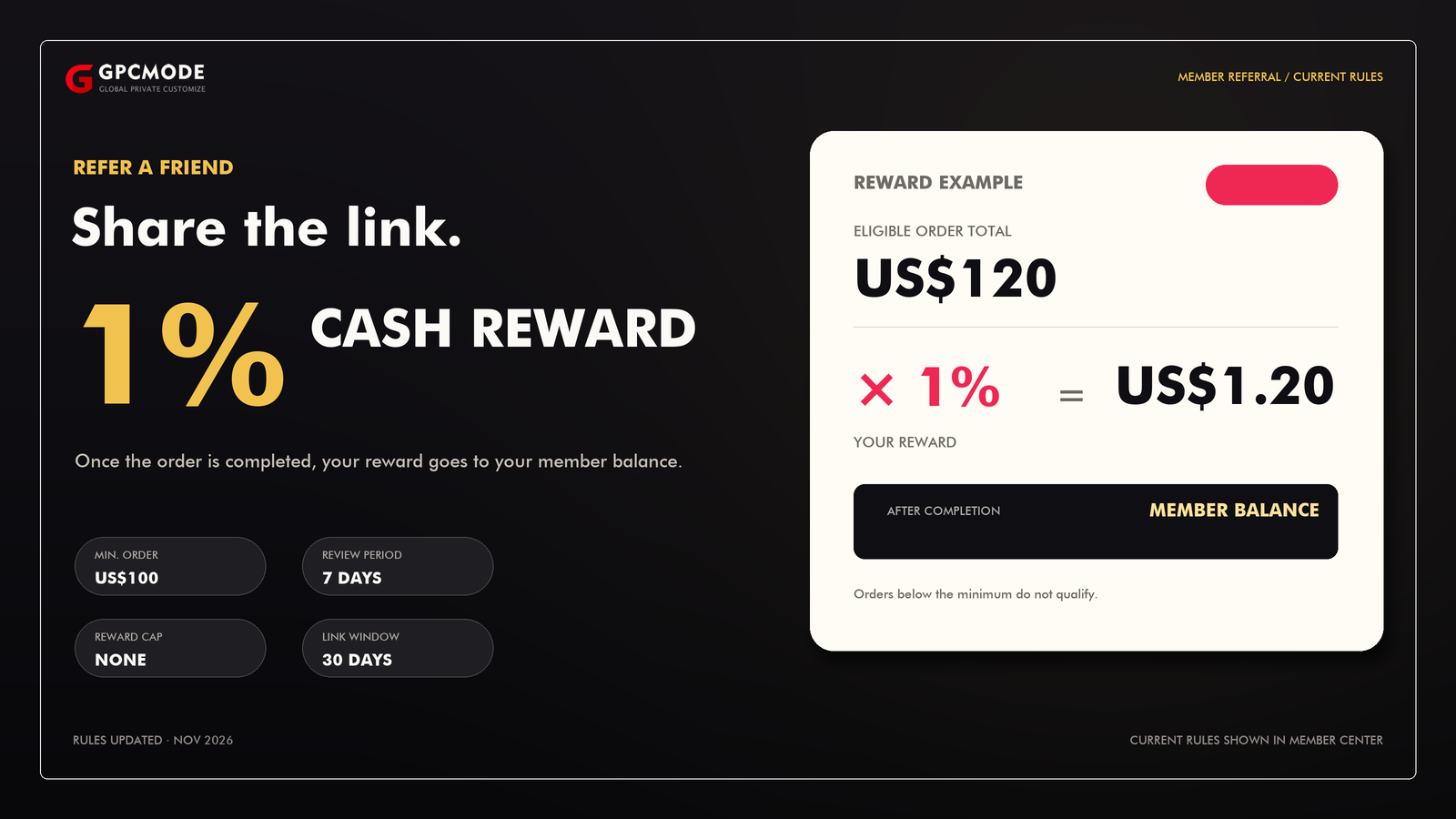
Current GPCMODE Referral Rewards rules
The short version
Invite a friend through your personal link. When your friend registers and completes an eligible order of US$100 or more, you receive 1% of the order total after a 7-day refund review period. The reward is paid to your member balance and currently has no cap.
Current referral reward rules
- Reward rate: 1% of the order total. The amount is calculated from the eligible order total recorded by the system.
- Minimum order: US$100. Orders below US$100 do not generate a referral reward.
- Reward cap: None. Eligible orders are rewarded at the full 1% rate.
- Attribution window: 30 days. Once the referral code is captured, it remains in the browser for 30 days.
- Refund review period: 7 days. The review starts when the order is completed, not when it is placed or paid.
- Payout method: Member balance. This is not a direct transfer to a bank account or PayPal.
The “1% cash reward” is credited as site balance. You can use the balance toward later eligible orders, subject to the options shown at checkout.
Referral Rewards and the Affiliate Program are separate. Referral Rewards is available from the member center and pays the 1% reward described here. The Affiliate Program is a separate partnership program with its own commission and settlement terms.
Step-by-step: from sharing your link to getting paid
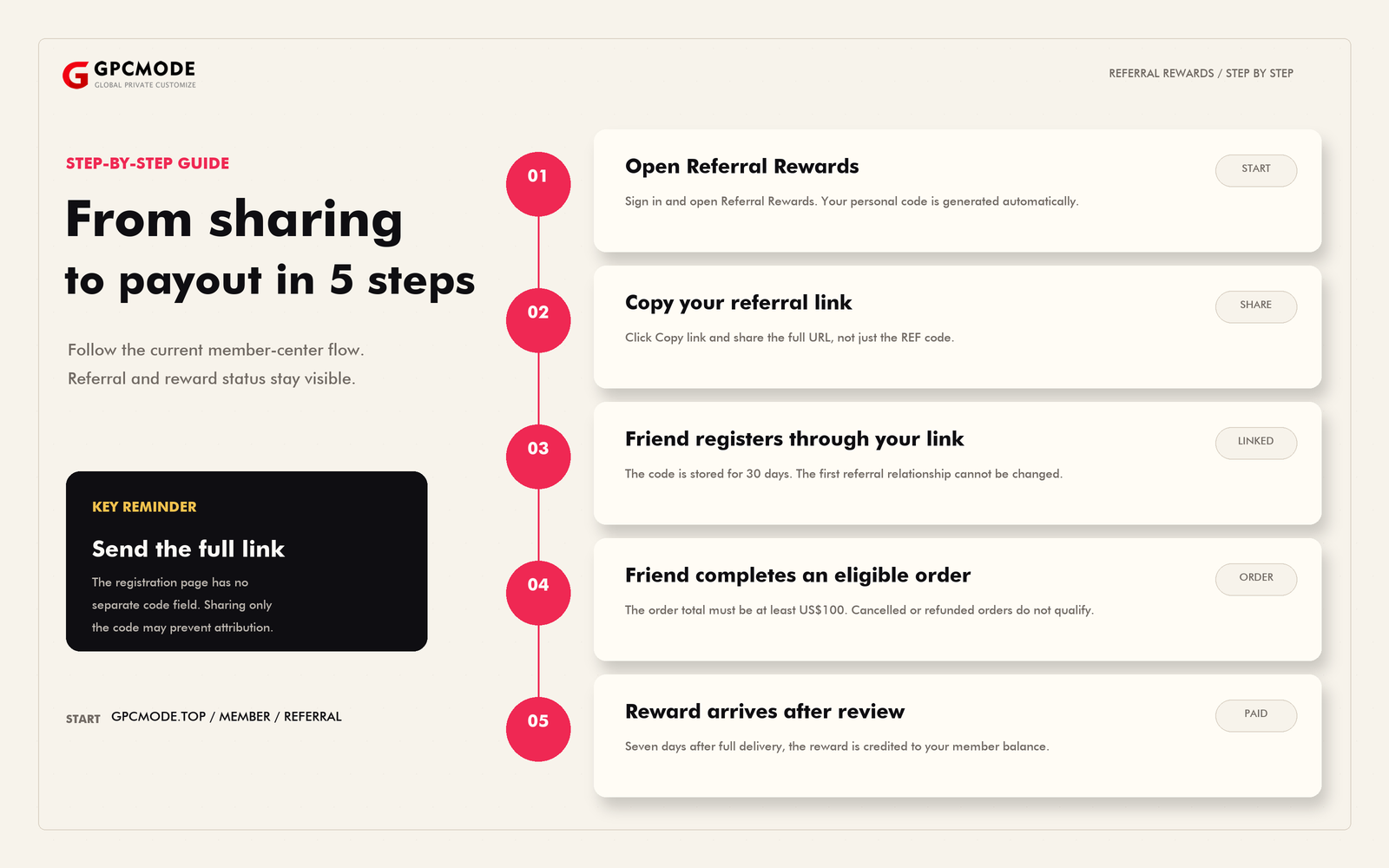
The five steps in the current Referral Rewards flow
Step 1: Open Referral Rewards in your account
Sign in to your GPCMODE account, open the member center, and select Referral Rewards from the account menu. You can also go directly to /member/referral.
Your referral code and link are generated automatically the first time you open the page. You do not need to apply for a separate referral code.
Step 2: Copy the full referral link
You will see two items on the page:
- Referral code: a short code beginning with REF.
- Referral link: your personal URL with the code already included.
Click Copy link and send the complete link to your friend.
Example referral link format:https://www.gpcmode.top/member?ref=YOUR_REFERRAL_CODE
Do not send only the REF code. The registration page does not currently have a separate referral-code field. Your friend needs to enter through the full link so the code can be captured and attached to the account.
Step 3: Your friend registers through the link
When your friend opens the link, the system stores the referral code for 30 days. If this is the first referral code recorded in that browser, it will be used when your friend registers.
- You cannot use your own referral link on the same member account.
- A referred member can be linked to only one referrer.
- Once the referral relationship is established, it cannot be switched to another member.
- An existing referral code in the browser is not replaced by a later referral link.
Step 4: Your friend completes an eligible order
Your friend can now shop and submit an order normally. The order total must be at least US$100 for the order to qualify.
The system records the order and checks for an existing referral relationship. Each order can generate a referral reward only once. Cancelled and refunded orders do not qualify.
Step 5: The order is completed and the reward is released
The reward is not created when your friend pays. It is created only after your friend confirms receipt of all items and the order reaches the completed status.
At that point, a Pending reward appears in your account. The 7-day refund review period begins from the order completion time. After the review period ends, the scheduled rewards task adds the amount to your member balance and changes the status to Paid. GPCMODE also sends a reward confirmation email.
About the payout timing
Payouts are processed by a scheduled system task. Once an order meets the 7-day condition, the reward is normally released during a later processing run. The timing is not tied to the exact second seven days after delivery. Check the status in Referral Rewards for the most accurate update.
How the reward is calculated
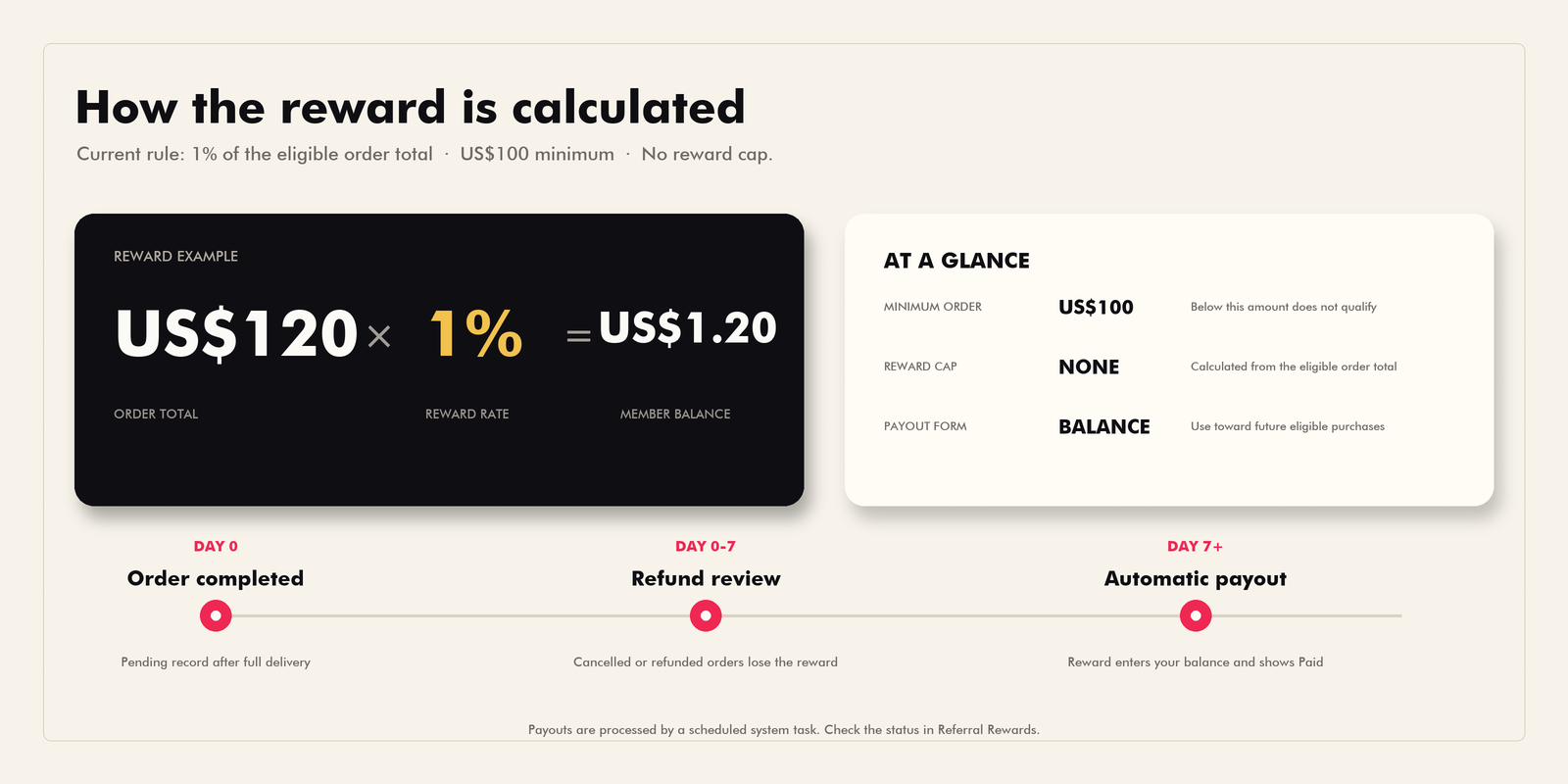
Reward calculation example and payout timeline
Formula: Eligible order total × 1% = Referral reward
Examples
- Order total US$99: no reward because the order is below the US$100 minimum.
- Order total US$100: reward US$1.00.
- Order total US$120: reward US$1.20.
- Order total US$500: reward US$5.00. There is no reward cap under the current rules.
How to track referral progress and rewards
Open Referral Rewards to view the following summary:
- Invited members: members who are linked to your referral code.
- Pending rewards: completed orders still inside the refund review period.
- Paid rewards: rewards already credited to your member balance.
- Total earned: the total value of referral rewards paid to date.
The reward history shows the referred member, order number, reward amount, and current status. After the reward is paid, you can also open Balance & Points and look for a balance record with the source “Referral reward.”
Frequently asked questions
My friend has paid. Why is there no reward yet?
Payment does not release the reward. The order must first be fully received and completed. The system then creates a Pending reward, which remains in the review period for 7 days.
Why is the reward US$0 after an order is completed?
The most common reasons are an order total below US$100, a missing referral relationship, use of your own referral link, or a later cancellation or refund.
Can I send only the referral code?
It is not recommended. The registration page does not currently provide a separate field for entering a referral code. Your friend should open the full referral link so the code can be captured automatically.
Can my friend change to a different referrer later?
No. Each referred member can have only one referrer, and the relationship cannot be changed after it is established.
Can the reward be paid directly to a bank account?
The current referral reward is paid to your GPCMODE member balance, not directly to a bank account or PayPal. The balance can be used on later eligible orders, subject to the checkout rules.
What happens if the order is cancelled or refunded?
If the reward has not yet been paid, the record is changed to Cancelled. Cancelled and refunded orders do not generate a referral reward.
Ready to share your referral link?
Open your member center, copy the link, and send it to a friend.
This guide reflects the GPCMODE referral configuration as of November 5, 2026. The reward rate, minimum order amount, review period, and payout method may change. The current information shown in the member center and at checkout takes precedence.